
How to Choose the Right Cable Chain for Your Machine
.webp&w=96&q=75)
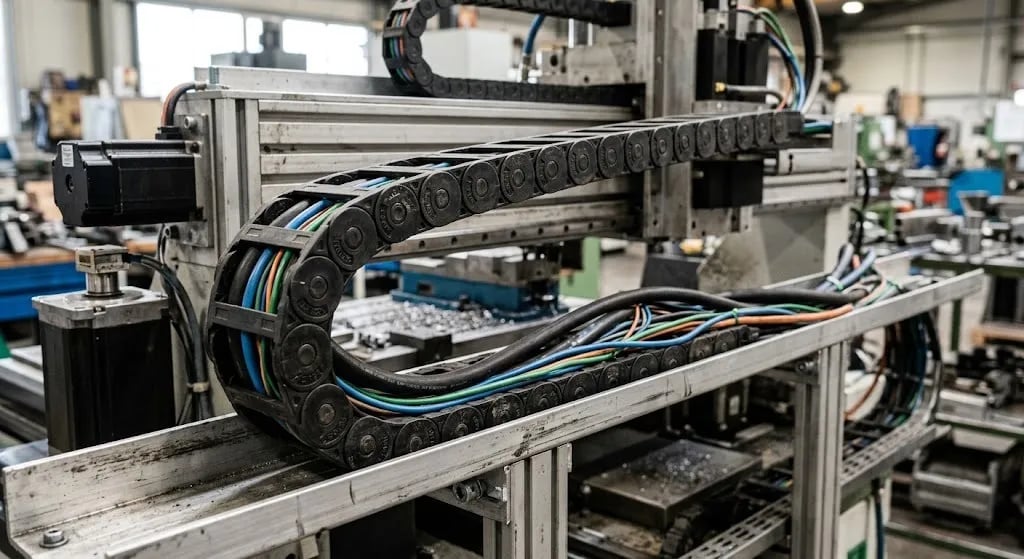
A cable chain is a flexible, jointed guide that protects moving cables and hoses on a machine. Picking the right cable chain for machines means matching load capacity, bend radius, material, speed, and available space to your setup. This machine cable chain guide covers cable protection, sizing, and buying tips. For reliable solutions, Nusaiba Construction & Technology can help you choose the right option for your machine. Get it wrong, and cables can wear out faster.
Table of Contents
Key Takeaways
What Is a Cable Chain?
How Does a Cable Chain Work?
Why Cable Chain Selection Matters
Cable Chain Types
How to Choose the Right Cable Chain: Step-by-Step
Real-World Example
Common Mistakes to Avoid
Expert Tips
Maintenance Basics
Where to Buy
FAQs
Key Takeaways
A cable chain (also called a cable carrier or drag chain) is a flexible guide. It protects cables and hoses as they move with your machine.
Choosing the right one comes down to five things: load, bend, material, speed, and space.
Plastic cable chains suit CNC machines and robots. Steel cable chains suit heavy, hot, or outdoor settings.
Getting the bend radius wrong is the most common mistake. It is also the most costly one.
Buying locally in Bangladesh saves time. Buying the wrong size costs you downtime later.
What Is a Cable Chain?
A cable chain is a row of linked plastic or metal parts. It holds and guides cables, hoses, and wires as a machine moves. As a flexible cable carrier, it acts like a spine for your wiring. Instead of cables hanging loose and rubbing on sharp edges, the chain keeps them safe. It also helps them move smoothly with the machine.
I have walked through many factory floors in Dhaka and Gazipur. In my experience, most cable failures were not electrical faults at all. They were mechanical. For example, a cable rubbed against a sharp edge for six months. Over time, the outer layer wore through. Then the machine broke down on a busy day. A properly sized cable chain stops this from happening.
You may also hear this part called an "energy chain," "cable carrier," or "cable drag chain." They all mean the same thing: a moving cable guard. According to industry accounts, the plastic version dates back to the early 1970s. A German maker named igus built the first plastic "e-chain" in 1971. As a result, it replaced older open steel troughs in many machines.
How Does a Cable Chain Work?
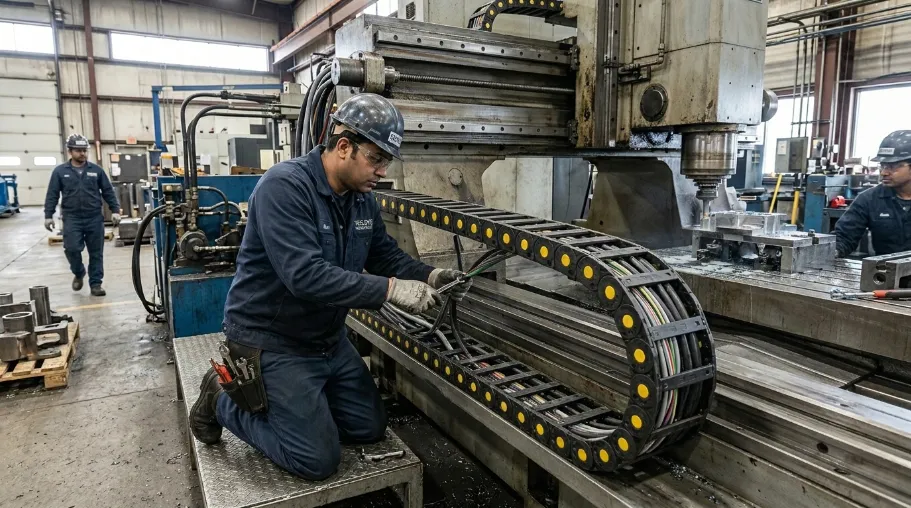
A cable chain works like a hinge, giving moving cable protection as it opens and closes with the machine. One end stays fixed near the control box. The other end moves with the machine part, such as a CNC frame or a robot arm. Inside the chain, small walls keep cable types apart for better machine cable protection. This stops power lines, signal wires, and hoses from tangling.
In my experience with CNC upgrades, bend radius matters most for cable life. A tight bend puts stress on the wires inside the cable. This happens every single cycle. Over thousands of cycles, that stress builds up. It leads to cracks and broken wires.
As a rule of thumb, many makers suggest a radius of 7.5 to 10 times the cable's width. This applies to moving cables. Fixed cables can use a smaller bend. However, this rule can shift based on cable design. So always check your own cable's data sheet first.
Why Cable Chain Selection Matters?
Picking the wrong cable chain is not a small issue. Over time, it leads to:
More cable repairs
Sudden machine stops
Damaged plugs and sensors
Safety risks from bare wires
For a factory running two shifts, even two hours of downtime a week adds up fast. That is why many buyers in Bangladesh's textile and garments fields treat this as an engineering choice. It is not an afterthought. Good wire and cable management, backed by strong industrial cable management practices, keeps a whole line running.
In addition, many suppliers follow ISO 9001:2015, the global standard for quality systems. This standard often calls for written testing steps, which is one way to judge cable chain durability before you buy. So it is smart to ask your supplier which standards they follow.
Types of Cable Chains
There are two main types on the market: plastic and steel. Each suits different jobs.
Plastic Cable Chain
Plastic (often nylon) cable chains are light, quiet, and easy to maintain. Nylon is the most common material. It weighs much less than steel, roughly one-seventh as much. As a result, plastic chains put less strain on the moving parts. In my experience, a CNC cable chain or robotic cable chain in plastic works well for CNC machines, 3D printers, and robot arms. This is true when speed is medium and the space stays clean and dry.
Steel Cable Chain
Steel cable chains handle high heat, heavy loads, and rough settings. Think steel mills, foundries, or outdoor cranes. They cost more and weigh more. However, they last longer in tough conditions.
Feature | Plastic Cable Chain | Steel Cable Chain |
|---|---|---|
Best for | CNC, robots, light industry | Heavy industry, high heat, outdoor use |
Weight | Light | Heavy |
Noise level | Low | Higher |
Cost | Lower upfront | Higher upfront |
Heat limit | Up to about 100°C (varies) | Often above 200°C (varies) |
Upkeep | Low | Moderate |
Note: exact cable chain specifications and ratings vary by maker and grade. Always check the data sheet before you buy.
How to Choose the Right Cable Chain: Step-by-Step
Step 1: Work Out Your Load Needs
Add up the weight and width of every cable and hose that will run through the chain. A cable chain load capacity rating that is too tight will crush your cables over time. On the other hand, one that is too loose wastes space and cash.
Step 2: Measure the Bend Radius
Check the smallest bend radius on your cable's own data sheet. This number usually sets the limit, not the chain. In most cases, the cable chain bend radius should match or beat your most sensitive cable's minimum.
Step 3: Check Travel Length and Speed
Longer and faster travel needs a chain built for more cycles. A slow axis and a fast robot arm have very different needs.
Step 4: Pick the Right Material
Ask yourself: is this space clean and dry, or hot and dusty? This answer usually decides plastic vs steel.
Step 5: Check the Install Space
Measure the space you have for width and height. Cable carrier size is not just about the cables inside, though. The housing itself needs room to bend. This step matters most for tight cable chain applications, like retrofits on older machines.
Step 6: Think About Local Conditions
In Bangladesh, heat and dust levels run high. A chain that works well in a lab test may act differently on your floor. For example, Dhaka's average humidity often runs between 70% and 85% during the monsoon months (roughly June to September). That is a much harder setting than most lab tests use. In addition, heat and dust wear down a chain over time.
So it helps to know how a chain was tested before you compare specs. Many parts use the IEC 60529 IP code to rate dust and water resistance. Here, the first number shows dust resistance. The second shows water resistance. Checking this rating gives you an easy way to compare brands.
Step 7: Plan the Cable Chain Installation
Good cable chain installation is not just bolting a bracket on. Mark the fixed and moving ends first, then route cables loosely enough to avoid pinch points at the bend. Test the full travel range by hand before you power up the machine.
Real-World Example: A CNC Retrofit in Gazipur
Situation: A garments-parts factory was upgrading an old CNC machine with a new motor axis.
Problem: The old cable chain was too small for the new cable bundle. Cables pinched on every cycle.
Solution: We worked out the true load needs. Then we moved up one chain size. We also matched the bend radius to the cable's data sheet.
Result: After about six months of two-shift use, cable stops dropped to zero. Before the fix, stops happened about twice a month.
Lesson learned: A slightly bigger chain now often costs less than a swap later.
Common Mistakes to Avoid
Picking a chain by price alone, not load
Ignoring the bend radius on the cable's data sheet
Mixing power and signal cables with no dividers
Skipping strain relief at both ends
Assuming plastic works fine in high heat
Not planning for future cable growth
Expert Tips for Better Cable Chain Performance
Leave 20 to 30% extra space for future cables.
Use dividers to keep power and signal lines apart.
Check chains during normal upkeep, not just after a fault.
Match the chain's speed rating to your real cycle speed.
For robot arms, put flex and light weight first over raw strength.
Cable Chain Maintenance Basics
Chain upkeep often gets skipped until something breaks. A short check each month helps a lot:
Look for cracked or worn links
Check that cables do not rub the chain walls
Confirm mounting brackets stay tight
Listen for odd noise; it often signals early wear
Future Trends in Cable Chain Systems
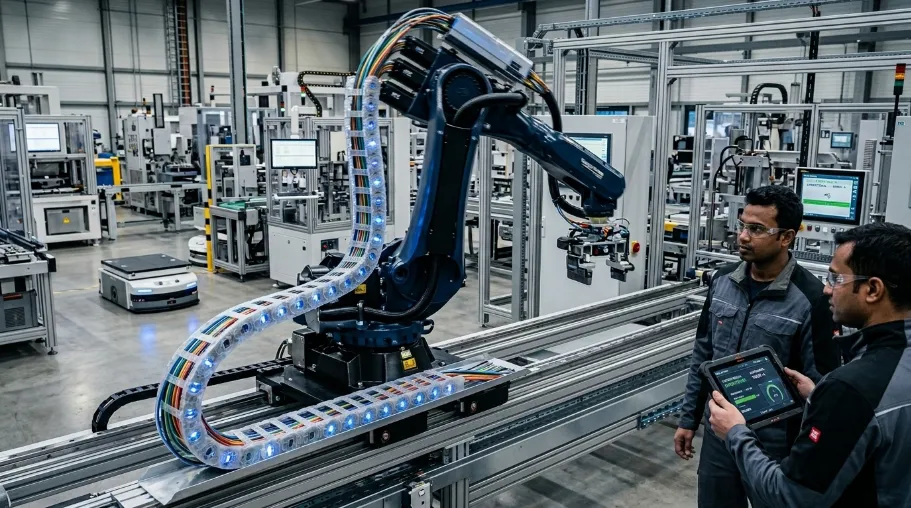
Makers now offer more hybrid chains. These mix steel strength with light plastic parts. In addition, more buyers want pre-built, ready-to-fit cable carrier systems. An energy chain system that arrives pre-assembled cuts install time. That matters for factories in Bangladesh that want less downtime during upgrades.
Actionable Takeaways
If you only remember five things from this guide, make them these:
Measure total cable width and weight first. That sets your minimum load rating.
Check your most sensitive cable's data sheet for its minimum bend radius.
Match material to setting: plastic for clean and dry, steel for hot and heavy.
Leave 20 to 30% spare space for cables you add later.
Check chain condition each month, not only after a failure.
To go deeper, read the step-by-step guide above. Or, see how these steps fit your machine by comparing plastic and steel side by side.
Where to Buy a Cable Chain in Bangladesh
If you already know your load, bend radius, and material needs, the next step is sourcing. Look for a supplier who can share a full data sheet, not just a price list, and who will confirm cycle and temperature ratings against your machine before you order. Ask whether stock sizes are available locally or need to be imported, since that affects lead time. A short technical call before you buy often catches sizing mistakes that are expensive to fix after installation.
FAQs About Cable Chain
What is the difference between a cable chain and a cable carrier?
They are the same thing. "Cable chain," "cable carrier," and "energy chain" are different names for the same part.
How do I know what size cable chain I need?
Add up your total cable and hose width. Check the minimum bend radius on your cable's data sheet. Then pick a chain rated a bit above that size for future room.
Is plastic or steel cable chain better?
Neither wins in every case. Plastic suits clean, indoor, medium-speed use like CNC and robots. Steel suits heavy, hot, or outdoor settings.
Can I install a cable chain myself?
Basic install work is doable with some mechanical skill. However, a wrong bend radius or strain relief setup is a common and costly slip. Many buyers in Bangladesh choose supplier help for critical machines.
How long does a cable chain last?
Life span depends on cycle count, load, and setting. Well-picked chains often run for several years before wear shows.
What industries commonly use cable chains?
CNC work, robots, packing lines, textile machines, cranes, and general factory automation all use cable chains for moving cable safety.
Do cable chains reduce cable damage?
Yes. A correctly sized chain is one of the best ways to cut wear on cables. That wear is a top cause of sudden machine downtime.
Final Thoughts
The right cable chain matches your machine's cables, speed, and setting. It is not the cheapest or the biggest option on the shelf. Work through the six steps above in order: load, bend, speed, material, space, and local conditions. As a result, you will land on the right size and type. Once sized right, a cable chain needs little thought after that. That is the outcome most buyers want.
If you want to see how plastic and steel stack up for your case, check the table above. Or, look at options for your machine type below.
.webp&w=256&q=75)